> For the complete documentation index, see [llms.txt](https://docs.instainfantry.com/llms.txt). Markdown versions of documentation pages are available by appending `.md` to page URLs; this page is available as [Markdown](https://docs.instainfantry.com/chapter-3-botting-strategies/strategy-2-automating-your-king-story-reactions-small-scale-instainfantry-customs/strategy-2s-execution.md).
# Strategy #2's Execution
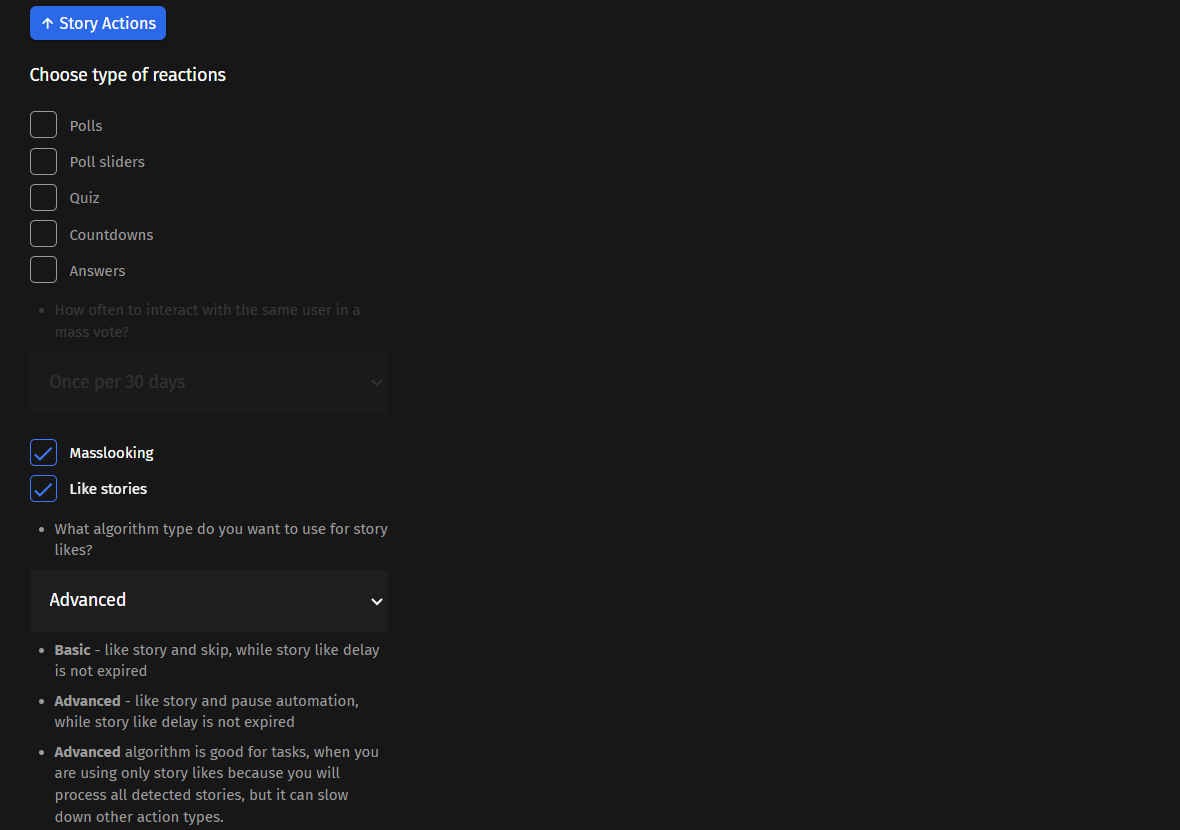
To configure this strategy in InstaInfantry, simply navigate to the [Reactions module](/chapter-2-using-instainfantry/reactions-module-and-driving-traffic/the-reactions-module.md) and open up the Story Actions tab.
Then, select the types of story reactions you want your account to execute.
If you’re looking for optimal results at the expense of variation, simply enable Masslooking and Like Stories with the algorithm set to Advanced. IF will be more efficient with the speed at which it interacts with target users as it’ll have less options to sift through when observing various types of stories. It is slightly more risky than Basic but the difference is almost negligible if you’re not running this strat at a massive scale.
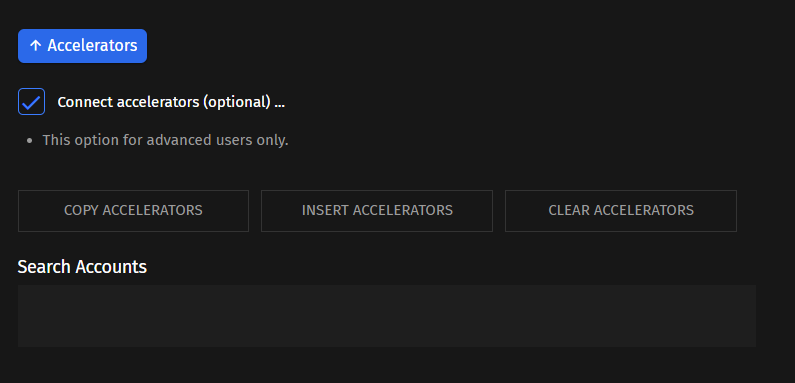
Next, navigate to the Accelerators tab and connect 1 - 2 accelerators to the account. Because this variation of the strategy centers around the automation of King accounts or clients’ personal accounts, it is highly recommended that you attach some accelerators to them. It will decrease your chances of getting the King account banned by about 10-15% as the work associated with finding relevant targets will now be handled by your connected accelerator accounts. Revisit the[ Accelerators](/chapter-2-using-instainfantry/the-use-of-accelerators.md) section if you need a refresher on how to use them.
Again, you only need to use accelerators if you’re running high-value accounts you cannot risk losing. For people who order the management of 1 - 10 accounts from the [InstaInfantry Custom Accounts Service](https://greyhatmarketing.sellpass.io/products), those accounts will always be treated as Kings and thus, have more costs associated with running them such as additional account slots and proxies for the accelerators. That’s why in the SellPass product description, I’ve outlined the fact that the discounts for 50 or more accounts are meant for users utilizing the [InstaInfantry Custom Accounts strategy](/chapter-3-botting-strategies/strategy-3-instainfantry-customs-story-reactions-large-scale.md) for the purpose of traffic generation, not client account growth. For people reselling this service as a growth strategy for their clients’ personal King accounts, the discounts will be lower in comparison to people scaling this strategy for the purpose of traffic generation across many identical infantry accounts.
It is not recommended that you enable any other functions besides these two if you’re running King accounts. Welcome DMs are often very useful for funnel optimization but it significantly increases the risk of bans and thus, not ideal for King automation.